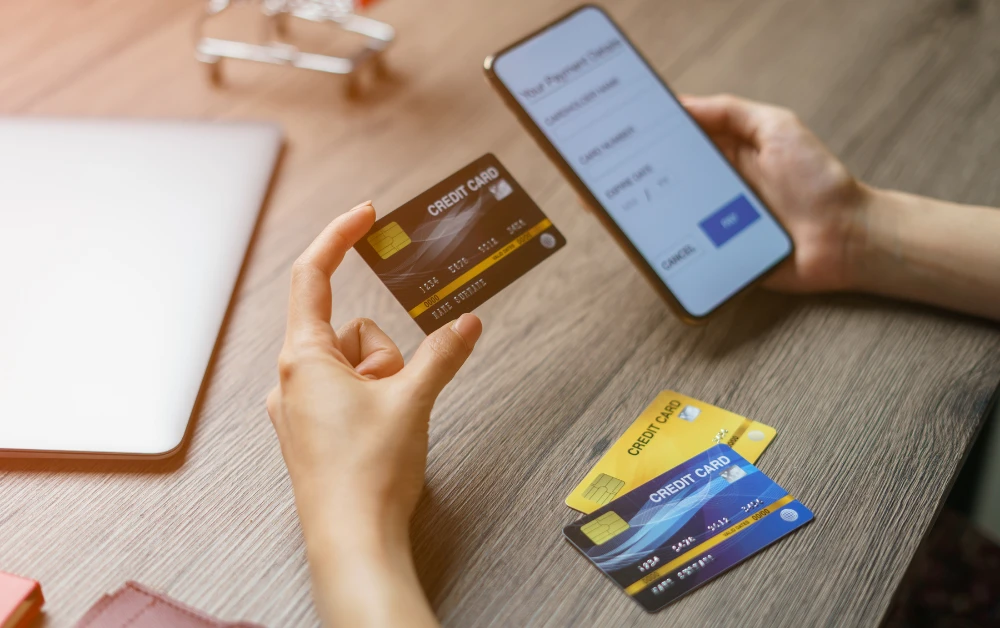
Learning how to accept Credit Cards on your phone can dramatically expand your ability to process customer payments with minimal equipment. This guide explains the main methods, requirements, technologies, costs, and compliance considerations for turning your smartphone into a mobile point-of-sale (mPOS) terminal that accepts cards in-person, with up-to-date procedures and essential trade-offs.
Methods for Accepting Credit Cards on Your Phone
App-Based Tap to Pay Solutions:
Modern smartphones (both iPhone and Android) can turn into contactless card readers using secure “Tap to Pay” functionality.
Typically requires downloading a payment app from a major provider or your merchant services provider.
App guides you to enable NFC (near-field communication), allowing customers to tap their contactless credit or debit cards on your phone.
Dedicated Card Reader Attachments:
Portable hardware dongles connect to your smartphone (via Bluetooth, Lightning, or USB-C).
Enable swipe, chip insert, and sometimes tap transactions through a companion app.
Useful if you serve many non-contactless cardholders or take cards with EMV chips and magnetic stripes.
Manual Entry via Payment Apps:
You can accept card payments by manually typing the card details into an official payment app or portal (less secure and typically higher processing rates).
Double-check PCI DSS compliance and consider risks of card-not-present transactions.
Digital Wallet/QR Payment Acceptance:
Accept Apple Pay, Google Pay, and other wallet-based cards using NFC or QR codes generated by payment apps.
Provides added flexibility and customer convenience, especially for smartphone-centric users.
Transaction fees usually apply for every card payment processed. These often range from 1.5%–3% per transaction (sample/illustrative—double-check with your chosen provider for current rates).
Some providers may charge additional monthly, hardware, or “instant payout” fees; others operate on a pay-as-you-go (no fixed cost) basis.
Net settlement (funds received after fees) typically appears in your linked bank account within 1–2 business days, but timelines vary.
Note any chargeback processes and dispute timelines, which are critical for in-person card acceptance.
Scenarios: What Works Best for Different Businesses
Market Stalls, Food Trucks, Mobile Clinics:
Tap to Pay on phone is highly effective for speed and minimal hardware.
Optional card reader if serving a broad demographic (not all have contactless cards).
Freelancers, Professionals, Service Providers On-The-Go:
Manual card entry or Tap to Pay; ensures payment at time of service/delivery.
May benefit from mobile invoice features built into major payment apps.
Pop-Up Retailers, Event Vendors:
Contactless support critical for high-volume, fast-paced environments.
Add-on peripherals for printed receipts, if required by local regulations.
Alternatives & Comparisons
Notable Alternatives
Traditional countertop POS terminal (requires power and setup, higher upfront costs)
Invoice and payment links (remote payments for services/goods delivery)
Peer-to-peer payment apps (Venmo, Zelle, Cash App) for informal transactions (note: not for business use per most terms of service)
Side-by-Side Comparison
Feature
Mobile Phone Acceptance
Traditional POS Terminal
Remote Invoice Link
Upfront Cost
Minimal/none
Can be $200+ (hardware)
None
Transaction Fee
Sample 2.6% + 10¢
Sample 2.3% + 5¢
Sample 2.9% + 30¢
Mobility
Maximum; anywhere you have internet
Fixed location
Works for remote billing
Best Use Case
On-the-go/mobile vendors
Brick-and-mortar businesses
Remote/services, after-the-fact billing
Accepted Payment Types
Contactless, chip, magstripe (with hardware)
All card types
Cardholder not present, any card
Common Issues and Troubleshooting
App Not Detecting Card: Ensure NFC is enabled. Restart the phone or update the app if needed.
Declined Transactions: Can result from insufficient funds, card issuer restrictions, or weak internet connection. Try alternate cards or a stronger network.
Receipts Not Sending: Double-check customer’s email or SMS number, and app permissions for notifications.
Bank Deposit Delays: Confirm your bank details are correct and your account is verified with the payment provider.
Frequently Asked Questions
What do I need to accept credit card payments on my phone?
A compatible smartphone (NFC-enabled for Tap to Pay solutions).
Official payment app account (from providers like Square, PayPal Zettle, or your bank).
Stable internet and, optionally, a portable card reader dongle for chip/magstripe cards.
Are mobile payment apps secure?
Reputable apps maintain PCI DSS compliance and encrypt transactions end-to-end.
Always use official apps from payment providers and keep your device OS updated.
Enable security settings (autolock, biometrics) on your phone for added protection.
How much do payment providers charge per transaction?
Fees typically range from 1.5%–3% per transaction (sample/illustrative; varies by provider and card type).
Always check official provider terms for up-to-date figures.
Conclusion & Next Steps
Accepting credit cards on your phone is an accessible, low-hardware way to support customer payments for small businesses, freelancers, and mobile sellers.
Choose an official, PCI-compliant provider suited to your transaction volume and customer mix. Double-check transaction fees and compatibility with your phone model before onboarding.
To safeguard your business, prioritize app and device security, keep abreast of fee changes and new regulatory requirements, and routinely review official documentation on your payment provider’s website.
If you want to explore solutions tailored to high-volume or brick-and-mortar businesses, compare costs and features with traditional POS systems via providers’ official resources.